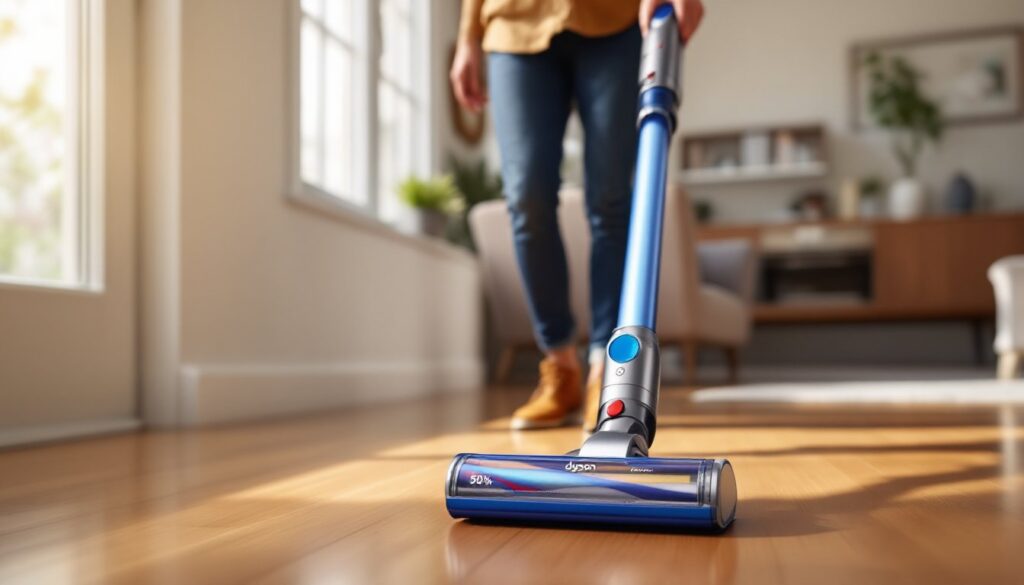

Dyson cordless vacuums have become a staple in homes that value convenience and power. But if you’ve just invested in one, or you’re considering it, you’re probably wondering: how long does the battery actually last? The honest answer depends on which model you own, how you use it, and how well you maintain it. Unlike a traditional plug-in vacuum, your Dyson’s battery is a consumable component with a finite lifespan. Understanding what affects battery performance and knowing when to replace it can mean the difference between a vacuum that keeps working smoothly and one that leaves you frustrated mid-cleaning. Let’s jump into the real numbers and practical strategies to keep your Dyson running strong.
Table of Contents
ToggleKey Takeaways
- Dyson vacuum battery life typically lasts 2–3 years with regular use, maintaining about 80% capacity after 500 charge cycles before gradual runtime decline begins.
- Using eco mode maximizes Dyson vacuum battery life on bare floors, while max power mode drains the battery in roughly half the time, making mode selection the biggest runtime factor.
- Charge your Dyson after every use, store it in a cool place, clean filters weekly, and wipe battery contacts regularly to significantly extend overall battery lifespan.
- When runtime drops below half the original specification even in eco mode, battery replacement is likely needed—costing $100–$250 is far cheaper than replacing the entire vacuum.
- Match suction power to your cleaning task and keep brush rolls and air pathways clear to reduce motor strain, which directly preserves battery performance and longevity.
Understanding Dyson Battery Specifications and Runtime Ratings
Dyson lists runtime on every cordless model, but those numbers come with important caveats. Most current models offer between 40 and 60 minutes of continuous runtime on a full charge, though top-tier machines like the Dyson V15 can deliver up to 60 minutes in eco mode. But, that rating assumes you’re running the vacuum in its lowest suction setting on bare floors, conditions most people don’t actually use.
The specifications vary significantly across the Dyson lineup. Entry-level models max out around 40 minutes, while premium versions stretch closer to an hour. What matters more is understanding the distinction between rated runtime and real-world performance. Dyson tests battery life under controlled laboratory conditions: your actual usage will likely be shorter, especially if you’re vacuuming carpets (which demands more power) or switching between cleaning modes.
The batteries themselves are lithium-ion cells, which is standard for cordless tools. These batteries maintain roughly 80% of their original capacity after about 500 full charge cycles, assuming normal use. That translates to roughly two to three years for most homeowners who run their vacuum three to four times per week. After that point, you’ll notice the runtime gradually shrinking, maybe you go from 45 minutes to 35 minutes over the course of a year.
Factors That Impact Your Dyson’s Battery Performance
Several variables directly affect how long your Dyson’s battery lasts per charge and how long the battery itself remains healthy. Understanding these factors helps you troubleshoot performance issues and extend overall battery life.
Cleaning Mode and Suction Power Settings
This is the single biggest factor affecting runtime. Dyson vacuums typically offer three suction modes: eco, auto, and max. Running on eco mode, you’ll stretch battery life to the full stated runtime, sometimes exceeding it on hard floors. Switch to max power, and you’ll drain the battery in roughly half that time, often 20–30 minutes depending on the model.
Auto mode adjusts suction based on surface resistance, which is a middle ground. If you’re cleaning a large home, switching to eco for bare floors and using max only on thick carpets is a practical compromise. The battery isn’t defective if max mode drains it quickly: that’s by design. The motor simply draws more power when you demand more suction, just like a drill runs down faster when drilling through concrete versus drywall.
Maintenance and Proper Care Practices
How you treat your Dyson battery directly impacts its longevity. First, avoid letting the battery completely drain on a regular basis. Lithium-ion cells prefer partial discharge cycles. If you can charge the vacuum after every use rather than waiting until the battery hits zero, you’ll extend its lifespan by months or even years.
Second, store your Dyson in a cool, dry place. Excessive heat degrades lithium-ion batteries faster than anything else. A garage that gets baking hot in summer or a damp basement aren’t ideal: a climate-controlled closet is much better. Third, clean the filter regularly, a clogged filter forces the motor to work harder and drains the battery faster. Dyson recommends rinsing the filter weekly if you vacuum frequently, and definitely after vacuuming fine dust or pet dander.
Also check that the battery contacts are clean. Over time, dust or debris can accumulate on the metal connectors where the battery slides into the vacuum. A quick wipe with a dry cloth keeps the electrical connection efficient, which prevents the battery from overworking to deliver power.
Tips to Maximize Your Dyson Battery Lifespan
Beyond the basics of filter cleaning and avoiding complete discharge, a few additional strategies can squeeze extra months or years out of your battery.
Charge smartly. Plug in your Dyson after each use, even if you only ran it for 10 minutes. The charger automatically stops flowing power once the battery reaches 100%, so leaving it plugged in overnight won’t damage the cells. Conversely, don’t let the vacuum sit unused for months with a dead battery: a stored battery loses charge slowly and can degrade. If you’re storing your Dyson for extended periods, charge it to 50% and then charge it again every few months.
Match the tool to the job. Your Dyson V15 or V10 is a powerful machine, but using it on lightweight hardwood floors for five minutes doesn’t require max mode. Eco mode will handle that task fine and preserve battery cycles for when you genuinely need them. This isn’t about babying the equipment, it’s about using the right setting for each situation, which is exactly what the modes exist for.
Keep brush rolls and airways clear. A clogged brush roll or intake path forces the motor to work harder. Weekly maintenance, removing hair from the brush roll and checking the intake path for blockages, keeps the motor running efficiently. An efficient motor draws less battery power, meaning your runtime stays longer and battery degradation slows.
Temperature matters during use. Operating your vacuum in extreme temperatures stresses the battery. Vacuuming in a freezing garage or sweltering attic will shorten battery lifespan compared to comfortable indoor temperatures. It’s not a huge effect, but it’s worth noting if you’re trying to eke out maximum longevity. Modern reviews from CNET and Tom’s Guide often mention how environmental conditions affect cordless vacuum performance, confirming this point across multiple models.
When to Replace Your Dyson Battery
After two to three years of regular use, you’ll start noticing shorter runtime. The question becomes: is the battery genuinely worn, or is something else causing the issue?
First, rule out the obvious culprits. A clogged filter or blocked air pathway will drastically reduce runtime without affecting the battery itself. Run the vacuum in eco mode on clean hardwood floors: if you still get significantly less than half your original stated runtime, the battery is likely degraded. For example, if your Dyson originally ran 45 minutes and now barely makes it 20 minutes even in eco mode, replacement is overdue.
Dyson batteries cost between $100 and $250 depending on model, and they’re straightforward to swap. The battery slides out and a new one slides in, no tools required. This is much cheaper than replacing the entire vacuum, and it often makes sense if your machine is otherwise functioning well.
But, if your vacuum is five-plus years old and the battery isn’t holding a charge at all, it might be time to evaluate the whole unit. Motor efficiency, brush roll wear, and plastic degradation compound over time. You’ll need to weigh the cost of battery replacement against the age and condition of the rest of the machine. Good Housekeeping’s tested review of current Dyson models can help you understand what upgraded performance looks like if you’re leaning toward replacement instead of battery repair.
Conclusion
Your Dyson’s battery won’t last forever, but it will last significantly longer if you understand how to use it properly and maintain it consistently. Most batteries deliver solid performance for two to three years with regular homeowner use. By charging after each use, running on appropriate suction modes, keeping filters clean, and storing the vacuum in a cool place, you’ll extend that timeline. When runtime finally dips noticeably, replacing the battery is usually an affordable and practical choice that buys you several more years from a machine you already trust.